Task
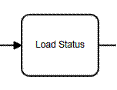
A Task is an activity that is used to load or save a module.
Operation
You can Load a module, Save a module or Assign a
module. The Assign operation is a
simplified save operation with selection fields for Assigned User and Team.
Module
You must specify the module that you are loading or
saving. This gives you the flexibility
to bring in any sort of data or save new records. The Source ID field is required when loading
a module.
Field Prefix
The field prefix is used to scope the data loaded or
saved. Leaving this value blank will
allow you to use the same process variables automatically defined by the base
module. For example, you may want to use
the prefix CURRENT_ to allow you to compare the CURRENT_STATUS to the STATUS
value that existed when the process was started. The Field Prefix does not apply to the save
or assign operation.
Source ID
The most common value is [ID], which is the reference to the
ID that started the process. You could
also use [PARENT_ID] to load values from the parent record, if the module
supports the field.
Fields / Add Field
If you leave the field list blank, then all fields are
loaded. If you specify any fields when
loading a module, then only those fields are loaded. When saving a module, you must specify at
least one field and only those fields specified are saved.
User Assignment Method
When assign a module, you can assign a static user, static
team, or the supervisor of the user the record is assigned to. Or, you can let the process perform a Round
Robin assignment.
|